01
Works with your music
Spotify, Apple Music, YouTube and web players in your browser, plus most apps that show in Now Playing.
For Mac · macOS 14.2 or later · Apple Silicon
Your music, transformed into living ambient light. Every beat. Every colour. Every edge.
One-time purchase. No subscription.
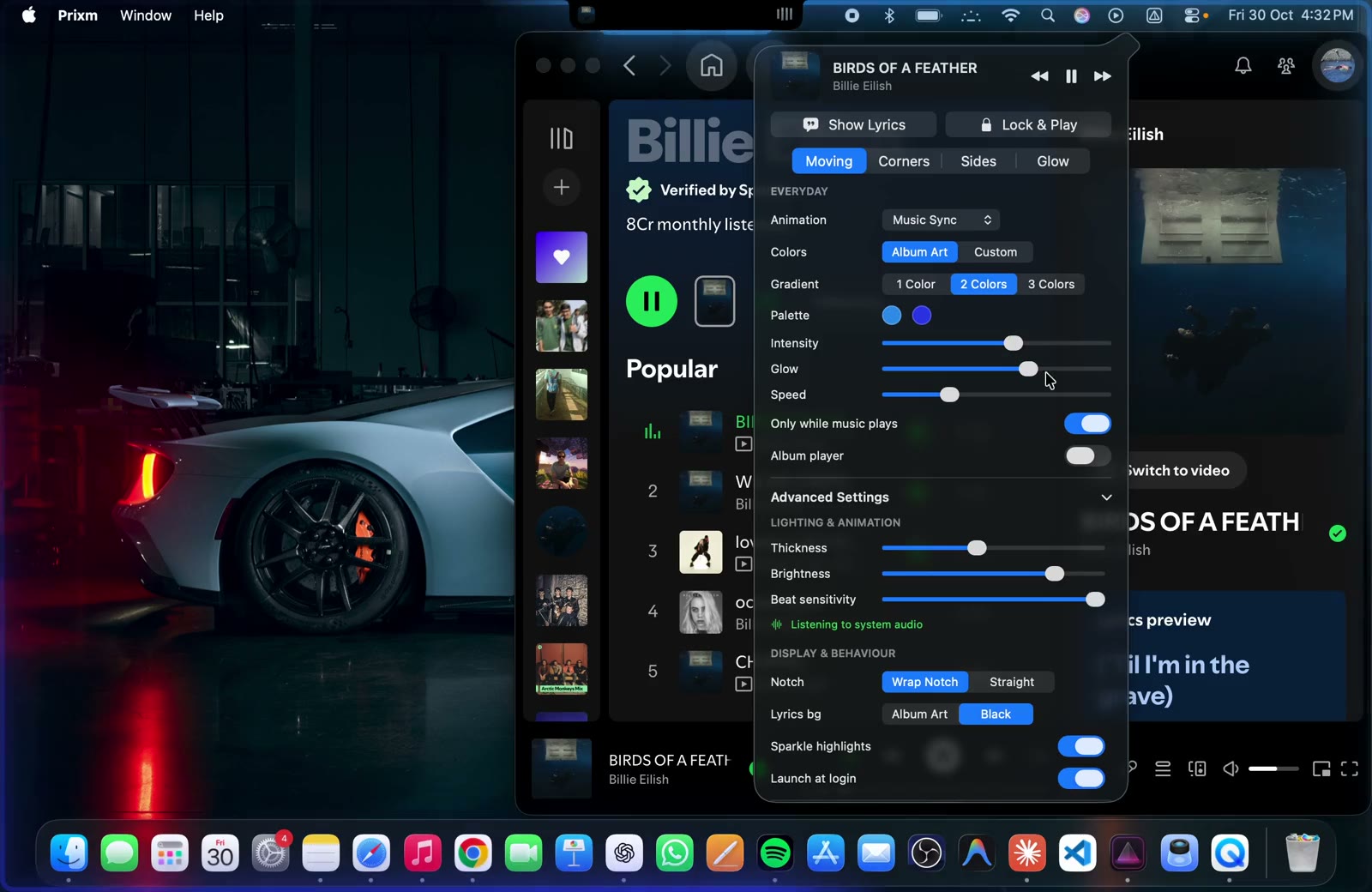
Pick a style to try it yourself.
The demo is a real screen recording, without sound. The style buttons show a browser preview of each effect.
Features
Prixm watches what's playing and listens to how it sounds, then paints the edges of your display to match.
Spotify, Apple Music, YouTube and web players in your browser, plus most apps that show in Now Playing.
Bring album-art colours to life with a glow that feels connected to what you’re listening to.
Choose Moving, Glow, Corners or Sides to create your own atmosphere.
The light and a player with full controls, right on your lock screen and screen saver.
How it works
Five quick steps, just once. After that, Prixm lights up whenever the music starts.
macOS 14.2 or later · Apple Silicon
Open the download on your Mac. A short guide comes with it.
Drop Prixm into your Applications folder, like any other Mac app.
macOS blocks the first launch. In System Settings, open Privacy & Security and click Open Anyway.
Click Allow when macOS asks, so Prixm can follow the beat. The sound is analysed on your Mac and never saved.
Start a song in Spotify, Apple Music, YouTube or YouTube Music. Your screen lights up, and the menu bar has the rest.
Inside Prixm
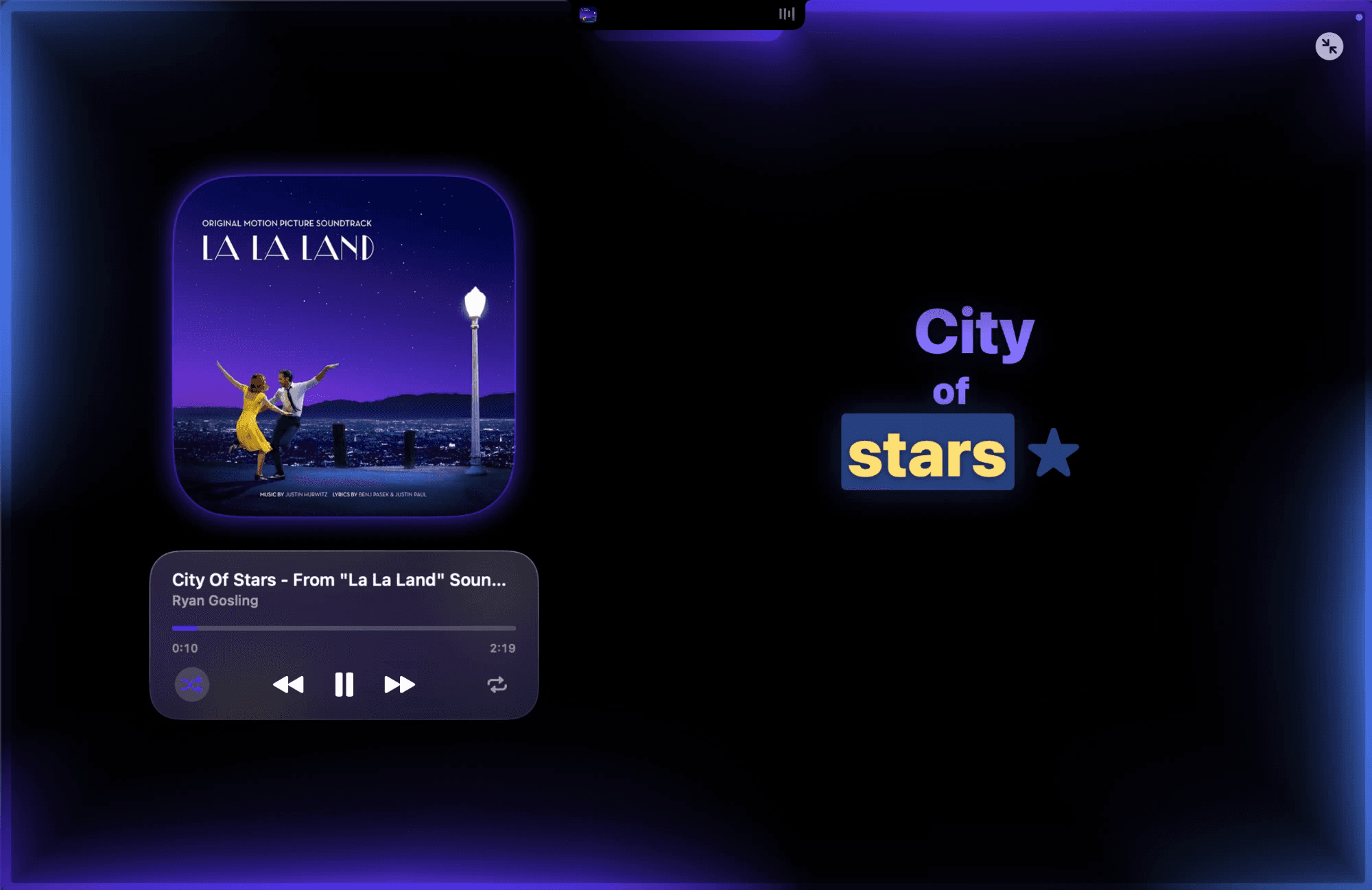
Let each cover set the palette, or build your own one- to three-colour gradient.
Moving, Corners, Sides or Glow, with intensity, glow and speed a slider away.
Live analysis of your Mac's audio picks out beats and volume as the song plays.
Time-synced lyrics, when available, word by word.
Swap the cover for a spinning record that glows in the album's colours.
Lock & Play takes the light and player with you.
The rim follows each screen and wraps the notch.
Thickness, brightness, beat sensitivity and more.
Pricing

Prixm
macOS app₹99
One-time purchase · Price in Indian rupees
Checkout opens soon. Nothing is charged on this page.
Requires macOS 14.2 or later · Apple Silicon, subject to the final verified app requirements.
FAQ
Prixm is a Mac app that adds a soft band of light around the edges of your screen. It takes its colours from the album art of the song you're playing and reacts to the beat and volume as the music plays.
macOS 14.2 (Sonoma) or later, on a Mac with Apple Silicon.
Spotify, Apple Music, YouTube and YouTube Music, plus most players that show up in macOS's Now Playing controls, including music and videos playing in your web browser.
To react to the beat and volume, Prixm analyses the sound your Mac is playing as it happens. macOS asks you to allow "System Audio Recording" once. The audio is analysed on your Mac and isn't saved.
Drag Prixm into your Applications folder. Because the app isn't notarized by Apple, macOS blocks it the first time you open it. Open System Settings → Privacy & Security, scroll to Security and click Open Anyway. You only need to do this once, and step-by-step instructions come with the download. You can also follow the install steps.
Purchases aren't open yet. Full details on how buying, licences and downloads work will be published here before sales start.
Email prixmstore@gmail.com and we'll help you out.